
Internet-connected devices can now control many physical parts of a home, including lights, cameras, doorbells, locks, and other security equipment. The National Institute of Standards and Technology (NIST) describes smart homes as environments where connected devices allow homeowners to monitor or control physical features remotely. This growing connectivity is changing how people think about home security.
For residential properties, this raises an interesting question. Does a traditional fence become less important when cameras, sensors, smart gates, and digital access controls can watch and manage entry? The answer is more complicated than choosing old technology or new technology. Each protects a home in a different way.
Why Physical Boundaries Still Matter
A fence has a simple job. It creates a visible boundary between private and public space. Gates then provide controlled entry points for people and vehicles. These functions do not depend on an internet connection, software updates, cloud services, or a smartphone.
That simplicity remains valuable. A camera can record somebody approaching a property, while a physical barrier can influence where that person can walk or drive. Likewise, a digital alert can tell a homeowner that movement has been detected, but the alert itself does not create a physical obstacle.
This distinction matters because security systems work best when individual measures perform different jobs. Physical boundaries can define space and guide movement. Connected technology can add identification, monitoring, communication, and automated responses.
What Changes When the Gate Gets Connected?
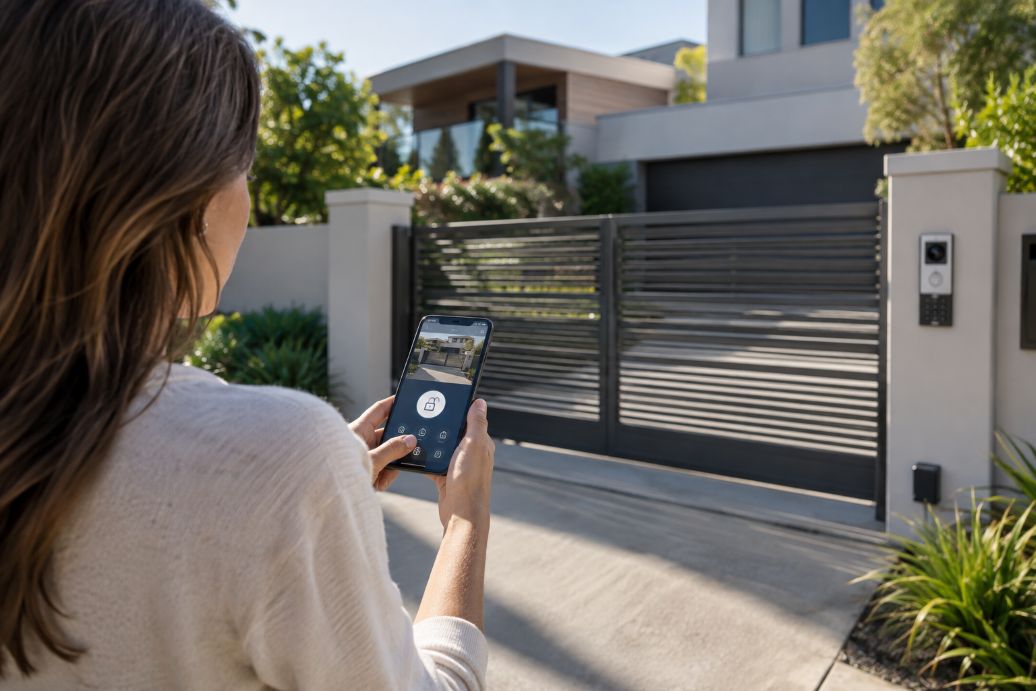
Technology makes the entrance to a home much more flexible. A conventional gate can become an automated gate. Access may be managed through a keypad, smartphone, remote control, intercom, or another authentication method.
Video doorbells and cameras add another layer. Residents can see visitors without walking to the entrance. Intercom systems allow conversations before access is granted. Sensors can detect movement or changes in the state of a door or gate. Together, these tools turn a passive boundary into an active security system.
Smart technology also makes remote management possible. NIST notes that home IoT products can give users remote control over physical aspects of their homes. That convenience is one of the major differences between conventional security equipment and connected systems.
Smarter Security Creates New Weak Points
Connected equipment brings its own risks. A conventional fence cannot have its password stolen. An internet-connected camera, gate controller, or intercom may depend on software, network connections, user accounts, and manufacturer support.
The Australian Signals Directorate’s Australian Cyber Security Centre advises consumers to check whether smart-device manufacturers provide security updates. Its guidance explains that updates are needed when vulnerabilities are discovered. Australian rules also require manufacturers to publish the end-of-support period for applicable smart devices, helping buyers understand how long security updates should remain available.
Passwords and account security matter as well. The Australian Cyber Security Centre recommends multi-factor authentication because it adds another layer of protection if login credentials are compromised. It also advises users to keep devices and software updated because updates can address known security weaknesses.
Physical Versus Digital Is the Wrong Debate
The more useful question is how the two approaches can support each other. A physical boundary and a digital security system solve different problems.
- A fence establishes the property’s physical perimeter.
- A gate creates a defined entry point.
- Access controls decide who can enter.
- Cameras provide visual monitoring.
- Intercoms allow communication with visitors.
- Sensors can detect activity and trigger alerts or other actions.
Removing one layer may place too much responsibility on another. For example, relying heavily on cameras means homeowners may know that someone has crossed a boundary without having a substantial physical boundary in place. Depending entirely on fencing creates the opposite problem. There may be limited information about who approached, when they arrived, or what happened while the property was unattended.
Where Should the Smart Boundary Begin?
Future home security is likely to start farther from the front door. Instead of treating the house itself as the first meaningful security point, homeowners can think about the entire site as a series of connected layers. This reflects a wider shift toward smart home automation, where features such as gates, locks, lighting, sensors, and even motorized window treatments can work as parts of a broader connected system.
The outer boundary can define the space. A gate can manage entry. Cameras and sensors can provide awareness. Smart locks can protect the building itself. Digital accounts and the home network then become another security layer because connected devices depend on them.
This last layer deserves particular attention. NIST identifies device configuration, data protection, restricted access to interfaces, secure software updates, and cybersecurity-state awareness among important capabilities for IoT devices. Its guidance shows why buying connected security hardware involves considering the software and support behind it, rather than judging the physical device alone.
A Boundary Is Becoming a System
Traditional fencing is unlikely to disappear simply because homes are getting smarter. Its role is changing instead. A fence can remain the physical foundation while connected equipment adds information, automation, and more precise control over entry.
The strongest direction may therefore be integration rather than replacement. Future homes can combine durable physical barriers with carefully secured digital tools. Homeowners will still need to think about height, access points, privacy, and layout. They will increasingly need to consider passwords, updates, data collection, network security, and long-term device support as well.
A smarter home needs boundaries that work in both worlds. The physical perimeter tells people where private space begins. The digital layer helps homeowners understand and manage what happens there. As these systems become more connected, good home security will depend on making both layers work together rather than expecting either one to do everything.
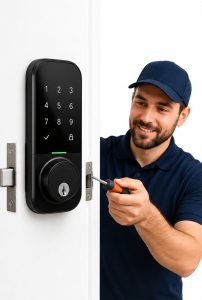 Global smart home adoption continues to grow, and smart locks are becoming one of the most common upgrades for residential security. Data from Grand View Research indicates that the smart lock market continues expanding as homeowners look for keyless access, remote management, and connected home features. Convenience often drives the decision. People like the ability to unlock doors with phones, assign temporary access codes, and monitor entry activity from anywhere.