

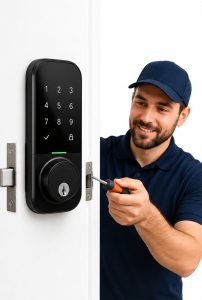
 Global smart home adoption continues to grow, and smart locks are becoming one of the most common upgrades for residential security. Data from Grand View Research indicates that the smart lock market continues expanding as homeowners look for keyless access, remote management, and connected home features. Convenience often drives the decision. People like the ability to unlock doors with phones, assign temporary access codes, and monitor entry activity from anywhere.
Many homeowners also research providers and installation services before choosing a system. Resources such as 110 Security Solutions are often used as information sources when comparing smart entry systems and residential security options. Yet after installation, practical day-to-day problems can emerge that many people do not anticipate during the buying stage.
The idea of replacing traditional keys with technology sounds simple. Reality is sometimes more complicated. Smart locks depend on batteries, wireless communication, apps, and proper hardware compatibility. Like many connected devices, they work best when all parts of the system function together. When one component struggles, homeowners can face inconvenience and, in some cases, temporary lockouts.
Three issues appear repeatedly among homeowners after installation: connectivity failures, battery-related interruptions, and installation compatibility problems. Understanding these challenges and seeing how security providers address them can help homeowners make more informed decisions.
Problem 1: Connectivity and App Access Failures
One of the biggest reasons homeowners buy smart locks is remote access. The ability to unlock a door from work, monitor activity while traveling, or create guest access codes adds flexibility that traditional locks cannot provide.
Problems appear when connectivity becomes unreliable.
Smart locks commonly use Wi-Fi, Bluetooth, Zigbee, Z-Wave, or newer standards such as Matter and Thread. If internet signals weaken or apps experience synchronization problems, access features can become inconsistent. Homeowners sometimes report delayed notifications, failed commands, or apps that appear stuck during connection attempts.
Consumer analysis and review data suggest connectivity complaints are among the most frequently discussed smart lock frustrations. Research examining community discussions and customer feedback identified connection issues as a recurring concern among users.
How Security Providers Solve It
- Professionals evaluate Wi-Fi strength before installation.
- They recommend stronger network placement or signal extenders when necessary.
- Some suggest alternative communication standards such as Thread or Zigbee, which can offer more stable performance.
- Providers often configure firmware updates and app settings during setup.
- Backup entry methods such as keypad codes or physical keys are frequently included.
Experts note that reducing dependence on a single access method lowers disruption when network interruptions occur.
Problem 2: Battery and Power-Related Lockouts
Smart locks need power to operate, and battery management becomes a surprise issue for many homeowners.
Traditional deadbolts rarely require ongoing maintenance. Smart systems are different because wireless communication, mobile connectivity, biometric functions, and frequent activity can increase power consumption.
ButterflyMX reports that many smart lock batteries typically last between six months and one year, although usage patterns and features can shorten that timeframe. Research also shows weak wireless connections may increase battery drain because devices repeatedly search for signals.
The problem becomes frustrating when homeowners do not realize battery performance is declining. Some users assume batteries will simply last as long as advertised. Real-world conditions often vary.
A dead battery can create inconvenience during busy mornings, travel days, or late-night arrivals.
How Security Providers Solve It
- Installers configure low-battery alerts and mobile notifications.
- They recommend battery types approved by manufacturers.
- Providers may optimize connectivity settings that reduce unnecessary power consumption.
- Many systems include emergency backup charging ports.
- Some providers recommend models with multiple entry options such as fingerprints, physical keys, or keypad access.
Security specialists also educate homeowners about regular maintenance schedules. Replacing batteries before critical levels are reached is usually easier than responding during an emergency.
Problem 3: Installation and Compatibility Issues
Many homeowners assume smart locks fit every door.
That assumption creates problems.
Doors differ in thickness, frame alignment, deadbolt dimensions, and existing hardware. Decorative doors and older homes sometimes present challenges because measurements do not match standard installation requirements.
Wired and home technology reviewers note that compatibility should be checked before purchasing smart lock systems because installation requirements vary between products. Some systems replace the entire lock, while others retrofit onto existing hardware.
Poor alignment can also affect daily operation. Even small differences in door movement can cause motors to work harder, increasing wear and battery consumption.
How Security Providers Solve It
- Professionals perform pre-installation assessments.
- Measurements verify door thickness and hardware compatibility.
- Door frames can be adjusted if alignment issues exist.
- Providers recommend lock models suited for particular home layouts.
- Post-installation testing confirms reliable operation before the project is completed.
Experienced installers also identify potential issues homeowners may overlook, such as weather exposure, frame movement, and older hardware limitations.
How Security Providers Bridge the Gap Between Technology and Everyday Use
Smart locks offer practical benefits, but convenience depends heavily on setup quality and ongoing support. Security providers increasingly act as problem solvers rather than simply equipment installers. Broader smart home technology adoption trends also show that connected devices are becoming part of larger intelligent home ecosystems, making reliability and proper implementation increasingly important for everyday use.
They assess home environments, identify technical risks, and help create backup plans. Data from industry reports and expert reviews consistently suggests that reliability often depends as much on implementation as on the device itself.
For homeowners, this shifts the conversation away from choosing the lock with the most features and toward selecting solutions that fit actual household needs.
Conclusion
Smart locks continue becoming a common part of modern residential security, but ownership involves more than replacing a traditional key with an app. Connectivity interruptions, power-related lockouts, and compatibility challenges remain real experiences for many households.
Reliable home protection often comes from combining technology with practical planning. Home security specialists, professional installers, and system providers can reduce many of these problems through proper setup, maintenance guidance, and backup access strategies.
Homeowners considering connected entry systems should think beyond convenience features alone. Looking at network reliability, battery maintenance, installation requirements, and long-term support can create a smoother experience and reduce surprises after installation.